Skip to content

For teams of 5 to 30 people

Projects, time tracking, HR and invoicing.In one app, hosted in the EU.

CloudyBird replaces your project tool, timesheets, HR tool, chat, video call tool, cloud storage and invoicing software. Because everything is connected, tracked hours go straight onto the invoice.

Try every feature, then carry on for free Hosted in the EU, no US cloud Developed in Germany
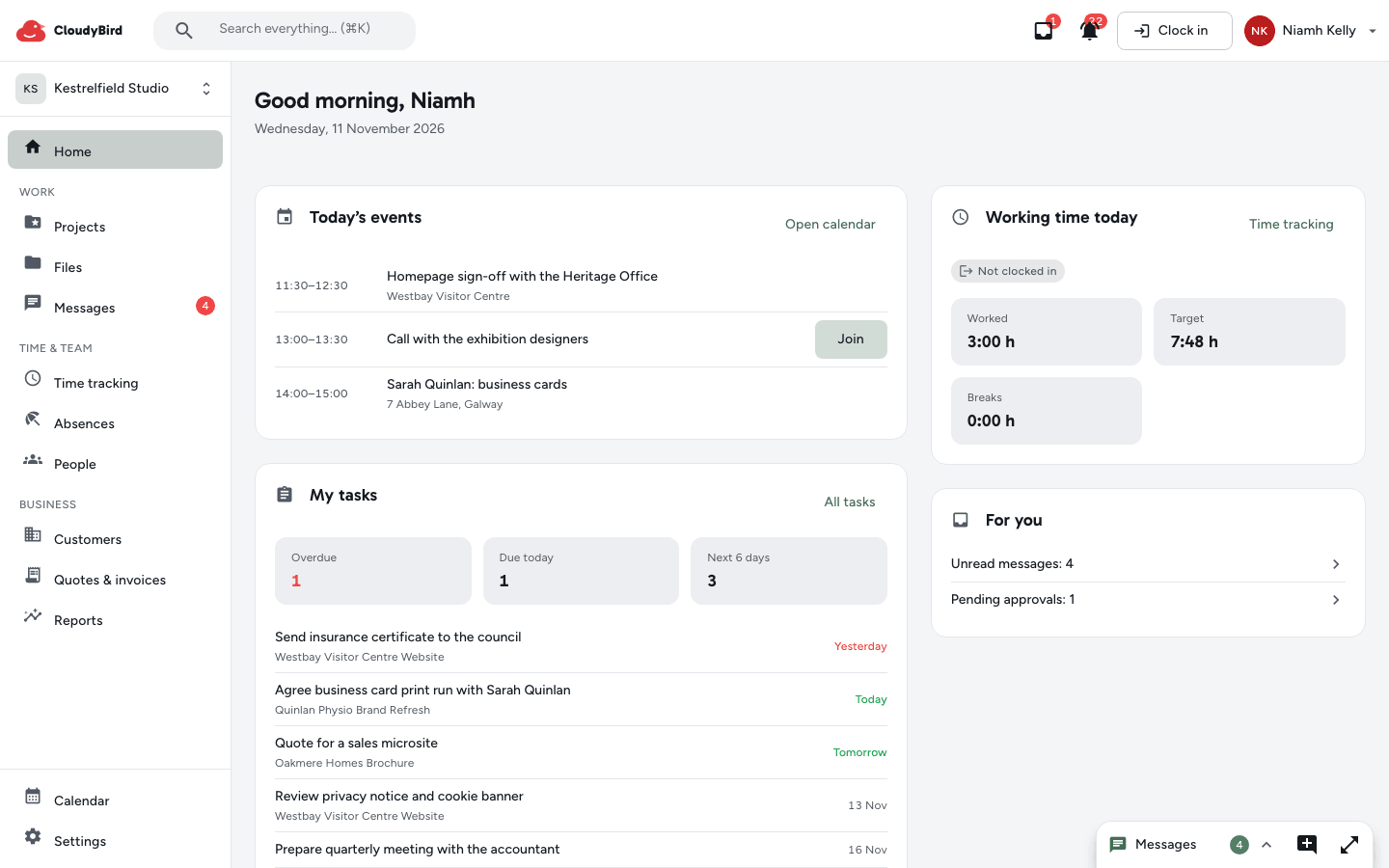
CloudyBird's “Today” start page with tasks, the time clock and open requests – fictional sample data

Seven fewer apps.

One login, one search, and every area knows what is happening in the others.

Before

  • HR tool
  • Project tool
  • Chat app
  • Video call tool
  • Cloud storage
  • Spreadsheets
  • Invoicing software

Now in CloudyBird

  • People & leave
  • Tasks & projects
  • Messages
  • Calls & meetings
  • Files & documents
  • Time tracking
  • Quotes & invoices

Tasks & time tracking

Plan tasks, track time.

Projects as a board, list or calendar. Your team clocks in in the browser and books the time straight onto the project.

  • Board, list and calendar – with comments and @mentions
  • Time clock with breaks, a time account and checks against the German Working Hours Act
  • Time logged against projects and tasks, so you can see what a job cost
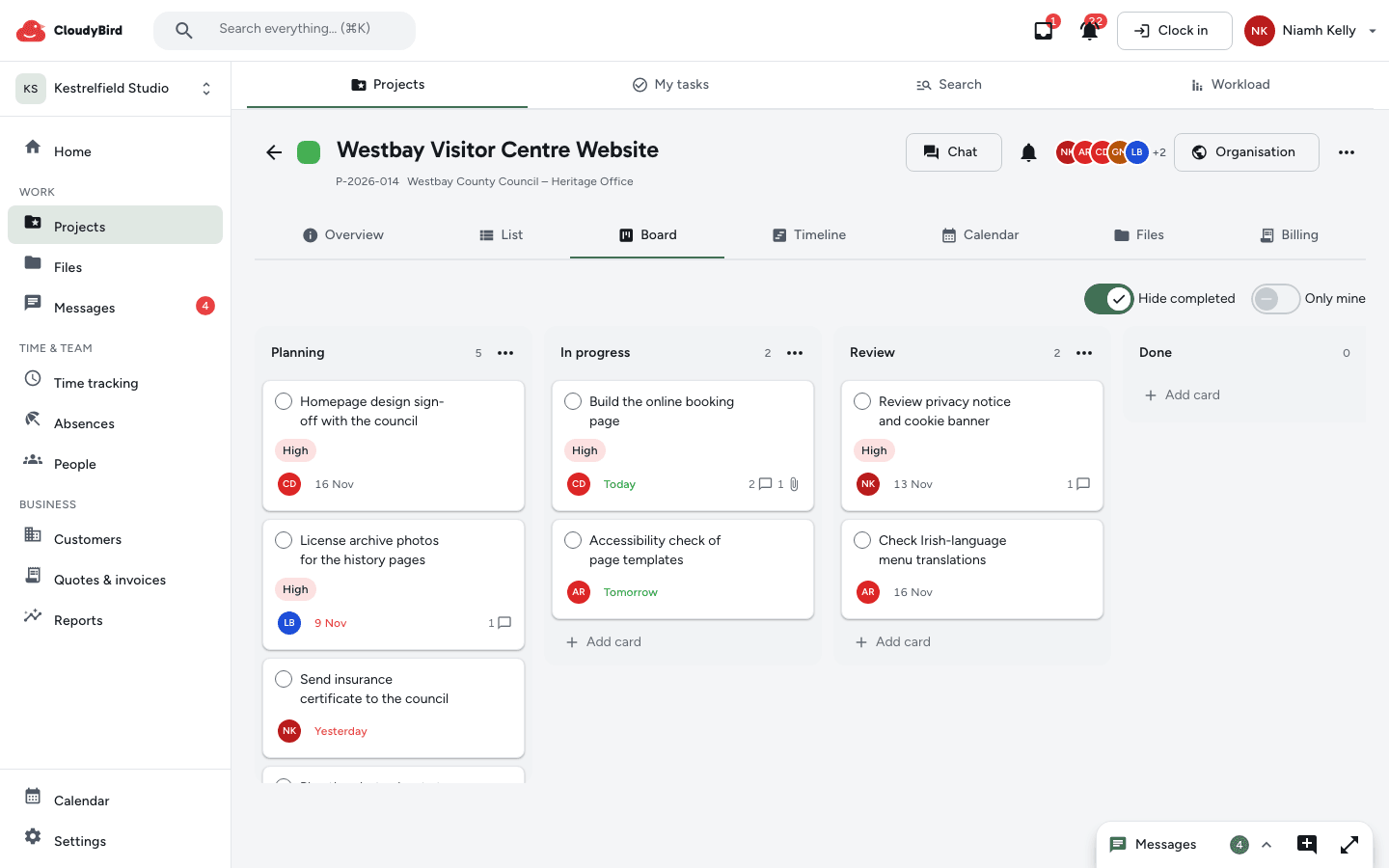
The project “Neubau Kita Sonnenschein” as a board with columns and tasks – sample data

Quotes & invoices

Quotes and invoices, e-invoices included.

A quote becomes an invoice, and so do tracked hours. XRechnung or ZUGFeRD, checked before you issue it.

  • Quotes, partial and final invoices as PDFs by email
  • E-invoices (XRechnung or ZUGFeRD), validated before you issue them
  • DATEV export for your German tax advisor – no more retyping
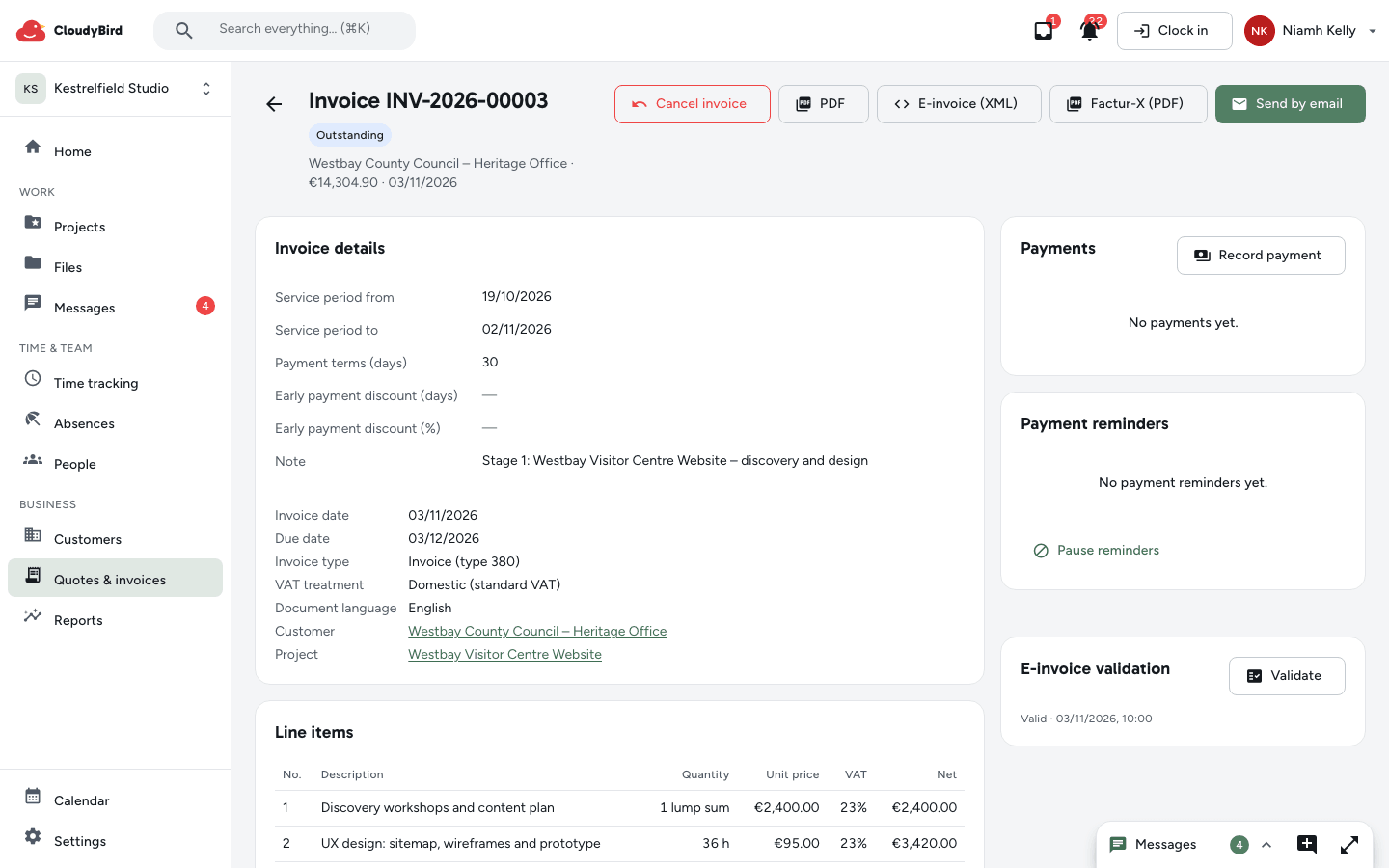
Issued partial invoice with XRechnung, ZUGFeRD and a passed XRechnung validation – sample data

People & leave

Leave and HR without paperwork.

Requests, approval, team calendar and leave balances in one place. Hours for payroll go to your accountant as a file.

  • Absences with approvals and a team calendar
  • Leave balances and digital personnel files
  • Payroll hours as a file for your tax advisor
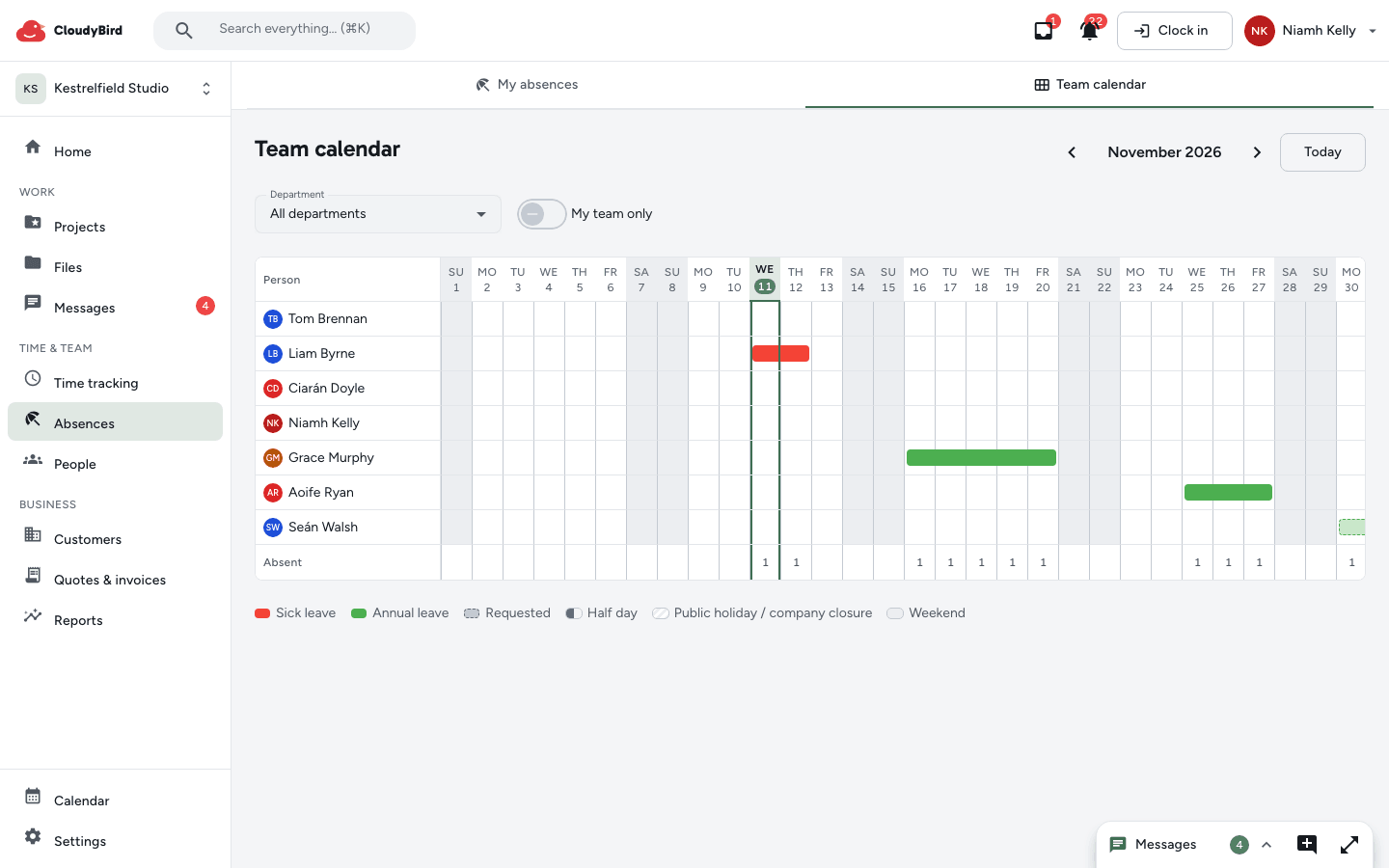
Absences in the team calendar with annual leave, sick leave and an open request – sample data

Files, documents & chat

Files and chat, right on the project.

Folders with permissions and versions, search even in scans. The project chat sits right alongside.

  • Folders with permissions, versions and a 30-day bin
  • Write together in CloudyBird documents; preview Office files
  • Messages with threads – including right on a project or task
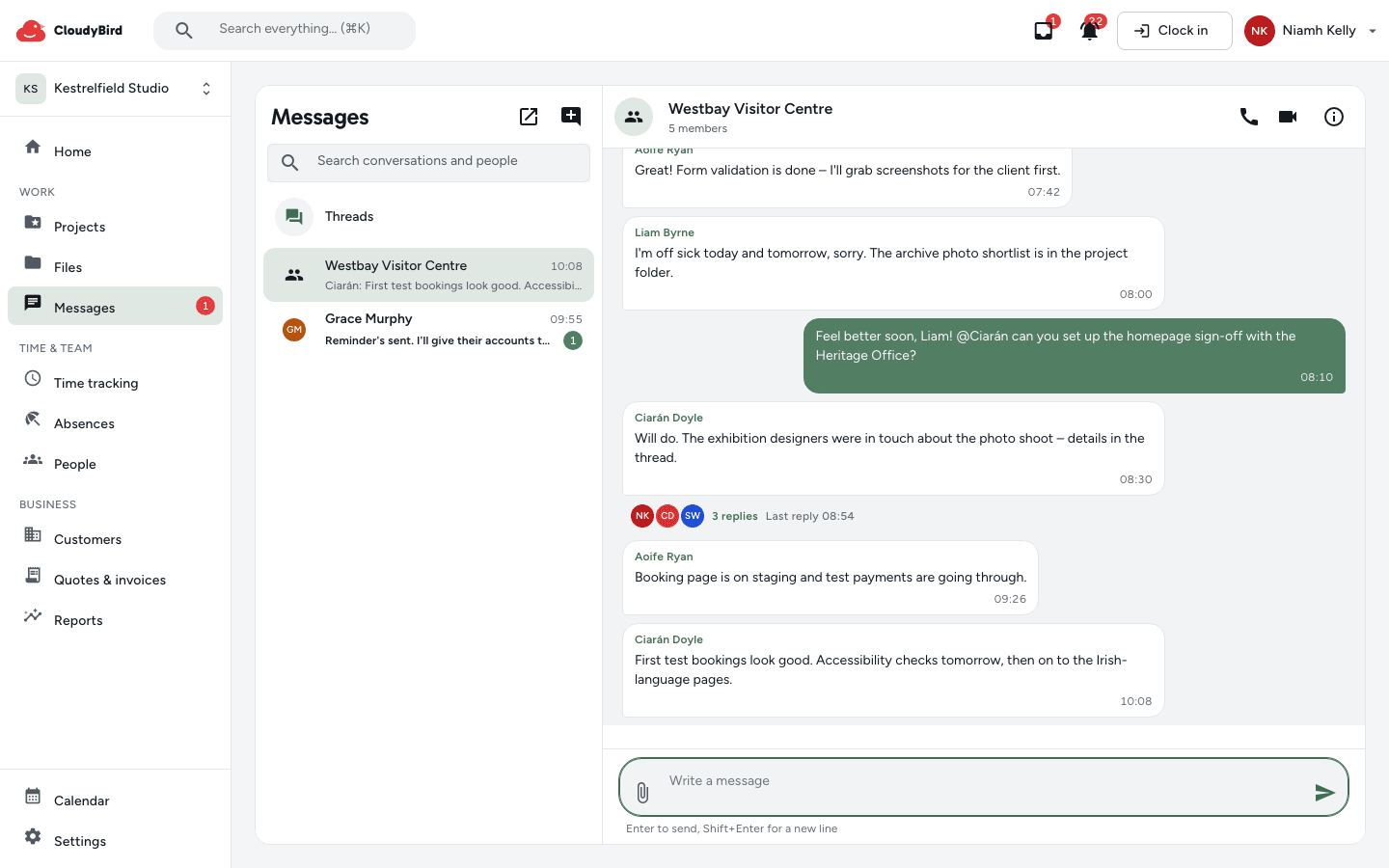
Group chat “Baustelle Kita Sonnenschein” with messages and a thread – sample data

Calendar, calls & meetings

Calls and meetings built in.

Calls from the chat, meeting rooms for customer appointments. Guests join via a link, no account needed.

  • Voice and video calls from the chat – one-to-one or in a group
  • Meeting rooms for appointments; guests join via a link and a waiting room
  • Calendar with recurring appointments and RSVPs – which you can also subscribe to in your own calendar
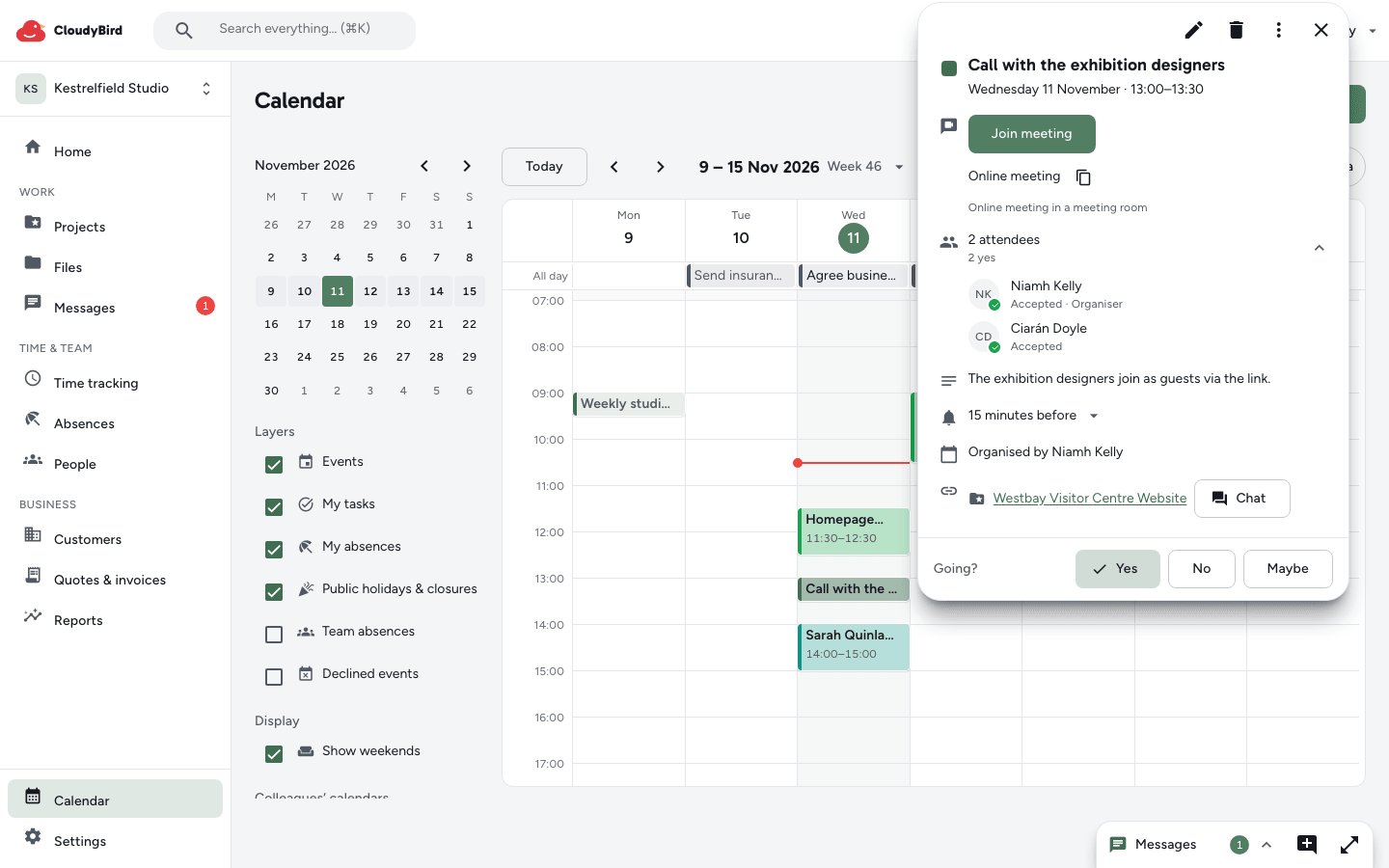
Calendar week view with appointments and an online appointment open in a meeting room – sample data

Why CloudyBird exists

Our family business ran on five tools: HR here, tasks there, chat somewhere else, files in the cloud, hours in spreadsheets. Every month-end brought five bills – and none of the tools knew about the others. So we built one app where everything is connected.

Built for us first. Now for your team.

– the CloudyBird team

What does CloudyBird cost for your team?

Try every feature, then carry on for free – no credit card.

Loading prices …

Frequently asked questions

How does the free trial work?
Try every feature, then carry on for free – no credit card.
What happens after the trial?
You automatically carry on with the Free plan at no cost. Nothing is locked or deleted: existing invoices and personnel files stay readable, and only new work in areas outside Free needs an upgrade. There's no setup fee.
There are more of us than Free allows – or we want to downgrade later. What then?
After the trial, a cancellation or a downgrade, you choose who stays active. Everyone else is paused until your next upgrade – their data is kept in full. Paid plans can be cancelled monthly.
Who is CloudyBird for?
Teams of roughly 5 to 30 people – agencies, offices, practices, service businesses and trades that no longer want their work spread across five tools.
What can an AI assistant do in CloudyBird – and what can't it?
You connect Claude, ChatGPT or another assistant that supports MCP, and sign in as you do so. It works with exactly your permissions and only in the areas you allow – for example creating tasks, logging hours or checking outstanding invoices. It can only delete something if you explicitly allow it, and then only via the bin. Issuing or cancelling invoices, recording payments, sending emails and share links, and personnel files and payroll data are all off limits. Every access is logged, and you can end any connection at any time.
Do we still need a separate video call tool?
For most meetings, no. You call each other from the chat, share your screen and meet customers in meeting rooms – guests only need the link, not an account. Audio and video are encrypted and travel directly between devices; behind strict firewalls they are relayed through our server in the EU. It's designed for up to 8 people, and there are deliberately no recordings or webinars. Calls and meeting rooms are included in every plan.
Does CloudyBird work with DATEV and Lexware?
Yes, via files your tax advisor imports: for bookkeeping, the booking batch with debtors and documents; for payroll, the hours per person and wage type for DATEV LODAS or Lohn und Gehalt. There's no direct online transfer to DATEV. If you connect Lexware Office, issued invoices appear there as vouchers.
Do I need e-invoices – and can CloudyBird create them?
Since 1 January 2025, businesses in Germany have had to be able to receive e-invoices. Issuing them is being phased in for invoices between businesses in Germany: from 2027 if your previous year's turnover exceeded €800,000, from 2028 for everyone. CloudyBird creates your invoices as XRechnung or ZUGFeRD with a PDF, validates them before you issue them, archives them so they can't be altered and, if you like, sends them by email. Sending via Peppol or government portals happens outside CloudyBird. As of 2026 – general information, not legal or tax advice.
How do I bring my data over?
Bring files over from Google Drive with the import, or drag and drop whole folders to upload them. Create projects, customers and employees directly – or let your AI assistant help. Invite your team by email.
Can I export my data?
Yes, at any time. Admins can download all of your business's data as a ZIP – tasks, files, customers, hours, chats and more. Reports are also available as CSV, Excel or PDF.
How do you handle data protection?
CloudyBird runs entirely on a European provider (Scaleway, with its data centre in Amsterdam); encrypted backups are stored in Paris. We process your data in line with the GDPR and as sparingly as possible. Roles and permissions decide who sees what, and sensitive personnel data such as IBANs and tax IDs is additionally stored encrypted. “No US cloud” means: hosting, database, files, email delivery, payments and video calls run on European providers or on our own server. US services only come into play if you choose to use them: signing in with Google or Microsoft, the Google Drive import, browser push notifications (content end-to-end encrypted) and embedded videos. Our domain's DNS is hosted by Cloudflare, which has no access to your data. You'll find all the details in our privacy policy.

Try it with your team.

Try every feature, then carry on for free. No credit card needed.